Clawd Buddy: A Tiny Pixel Crab Who Lives on Your Mac
Clawd wanders your screen, hides in the menu bar, times your focus, tidies folders and tells you when Claude Code is done. He is drawn entirely from rectangles.
October 21, 2026 · Labs
A desktop pet with a job.
Most desktop pets are screensavers with legs. Clawd is a small crab who happens to be useful. He wanders along the bottom of your screen, says silly things, and can be dragged up into the menu bar to live there. He is also a focus timer, a file shelf, a calculator, a folder tidier, and the first to know when Claude Code has finished.
The one above is the real crab, not a picture of him. Press him. He has opinions.
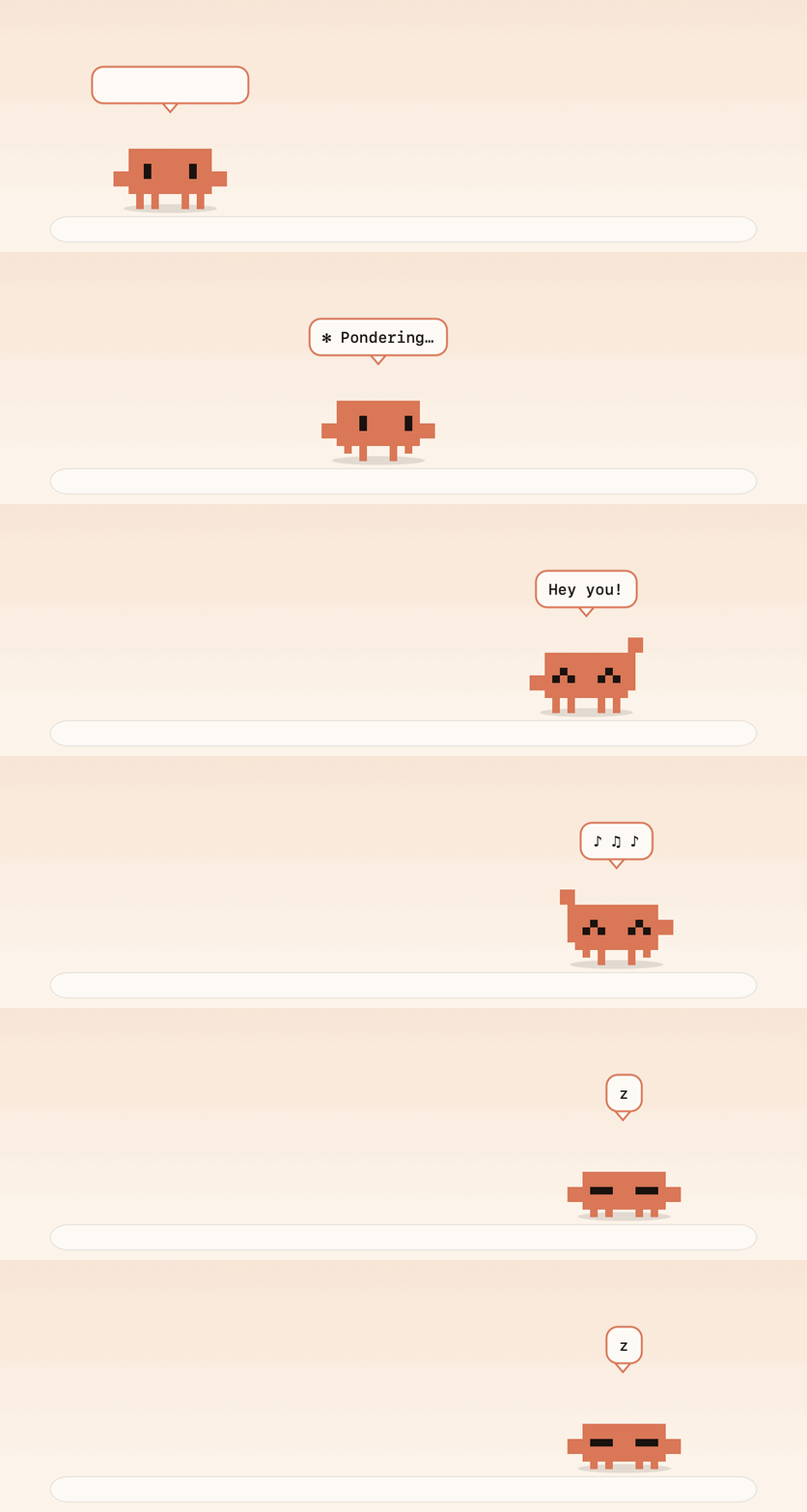
A day in the life, in about three seconds.
Clawd Buddy is free, open source, and made for macOS 14 and later. It is a Labs project: built by Xander, developed by TIZZLE and owned by Crooli. It is a fan project too, inspired by the little Clawd mascot in Claude Code, and not affiliated with Anthropic.
Pick a home
By default Clawd lives on your desktop. Drag him up to the menu bar and let go, and he shrinks into a status item and carries on from there: blinking, walking on the spot, dancing, and popping up short phrases next to his icon. Drag him back out to carry him down and drop him anywhere.
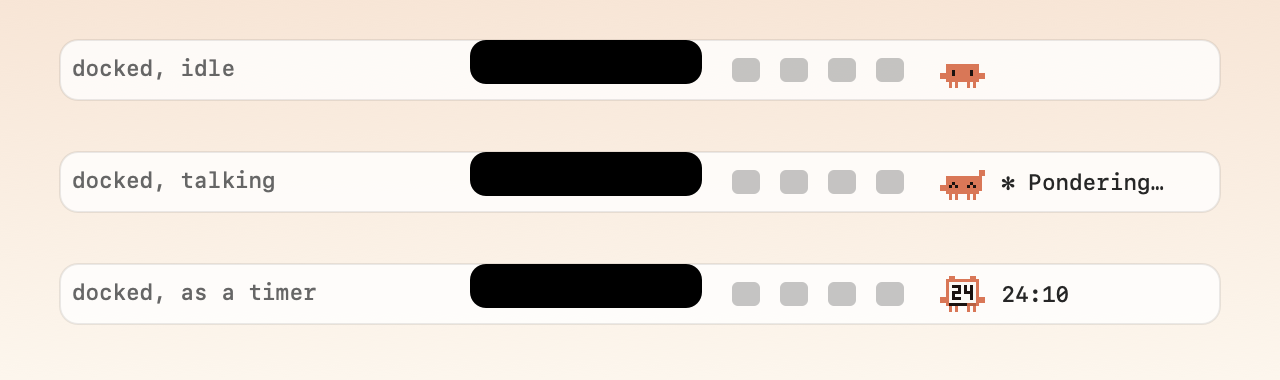
Docked, idle. Docked, talking. Docked, as a timer.
In the menu bar he stays put. Reminders, timers and alerts appear as a small bubble under his icon, with a little blip, without pulling him out. He is also notch-aware: if a crowded menu bar next to the notch has no room for his icon, he notices, hops back out and tells you, instead of quietly disappearing. His size is yours to choose too: small, medium or large.
A crab for every weather
Tell Clawd your city and he dresses for it, using Open-Meteo, with no account. Try it:
He wears a nightcap with twinkling stars after 9pm, nudges you at bedtime, and wears a Santa hat in December. From mid-October he wears a pumpkin, which is why he looks like that this week.
A timer with a face
Start a focus session or a break and Clawd turns into the timer. The body becomes a pixel screen, a bar drains along the bottom, and two small bells appear on top. In the menu bar, the same face sits in his icon with the countdown beside it. Start one:
When it finishes he tells you with a bubble. He also goes quiet by himself while a timer runs, and during Zoom meetings.
Drag a file onto him
Drag any file over Clawd and a tray of drop targets appears.
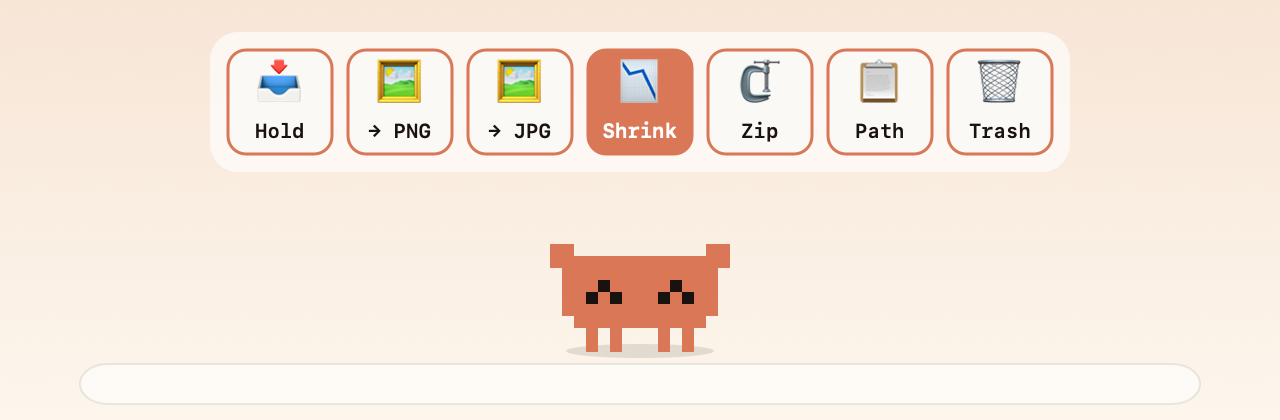
Hold, convert, shrink, zip, copy the path, or bin it.
Hold puts the file on his shelf without moving or copying it. The convert tiles save a copy as PNG or JPG beside the original. Shrink compresses an image into a smaller copy, picking the best quality that actually saves space, and says so honestly if it cannot beat the original. Path copies the file paths. Trash is recoverable.
Drop a folder instead, or drop Clawd onto a Finder window, and he offers to tidy it.
He is careful on purpose. Only loose files at the top level are touched, and nothing is ever deleted. Undo last organise puts every file back and removes the folders he made.
Ask Clawd
Press ⌃⌥Space anywhere and a small box appears that does sums, converts units and currency, and tells you the time somewhere else.
The same menu has a colour picker that copies the hex code of anything on screen, a password generator that keeps its results out of clipboard history and clears them after 45 seconds, quick notes, and a screenshot-to-text tool that reads a box you draw using Apple's on-device Vision, so the picture never leaves your Mac.
He knows when Claude is done
Clawd watches for a busy claude process. While Claude Code is working he sits down and types, cycling through words like Flibbertigibbeting. When it goes quiet after a real run, he tells you it has finished.
For the moments Claude is waiting on you, such as a permission prompt, he has a hook you can switch on from his menu. He waves and bounces, again and again, until you click him or Claude starts working again, even while he is docked in the menu bar.
The same menu has a GitHub dashboard with CI dots and the pull requests waiting for your review, using the gh command you already have, so there is no token to paste. There is also a git buddy that nudges you about uncommitted work, and a port watcher that tells you the moment a dev server goes down.
He plays
Pick Play: Basketball and Clawd rolls himself into a ball while a hoop appears on the edge of your screen. Throw him through it.
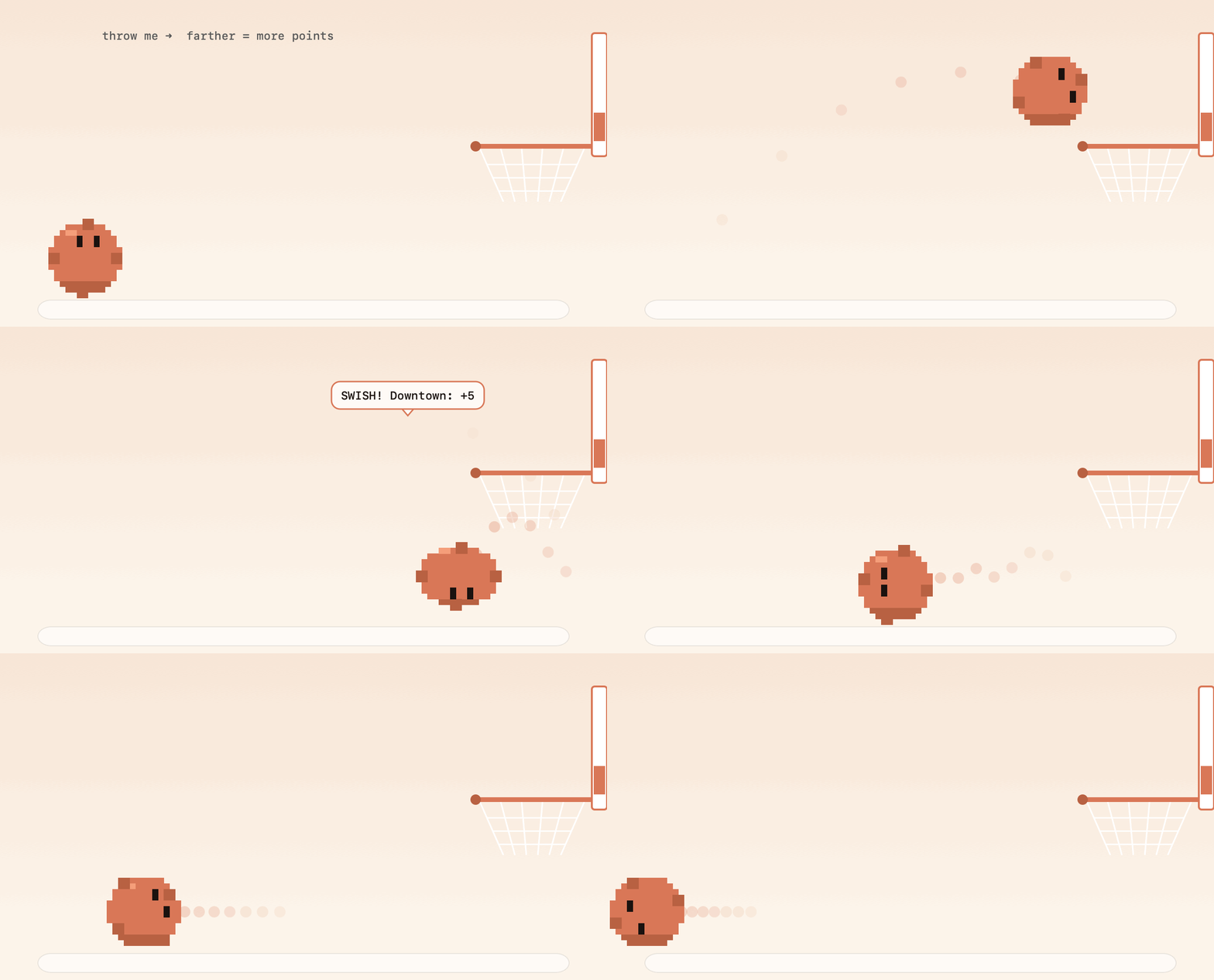
Throw me. Farther is more points.
The farther the shot, the more it scores: a layup is 1, mid-range 2, long range 3, and downtown 4, with a bonus point for a clean swish that does not touch the rim. The hoop moves after every basket, you get sixty seconds, and your best score is saved. The rim and backboard are real obstacles, so shots can rattle in or bounce out.
Without the hoop, Physics ball lets you throw Clawd anywhere: he bounces off the edges of your screen and the tops of your windows, and settles on the Dock looking at your cursor. There is also Flappy Clawd, a coin-catching game called Token Catch, and, every few minutes when you are not busy, something odd: a tiny fort on one of your windows, a peek-a-boo from the edge of the screen, a sneeze, or a ghost. All of it can be switched off.
Drawn from rectangles
Clawd is drawn from filled rectangles on a 15 by 14 grid, every frame. The same drawing code makes the sprite on your desktop, the icon in your menu bar, the timer face and the pictures in the README. The crab at the top of this post, and the three little demos above, run a direct port of that code, so what you have been poking is the real thing. His sounds are made the same way: soft 8-bit blips synthesised on the fly, with no audio files.
The app is Swift and AppKit with no dependencies. There is no Xcode project and no packages: one script builds it.
Watch the tour
If you would rather watch than read, here is the whole thing in twenty-three seconds.
Private by default, and good at updating
Everything runs on your Mac. The only network requests are the currency lookup for Ask Clawd, the daily update check, the weather lookup if you set a city, the gh command for the GitHub dashboard if you open it, and any download you ask for. There are no accounts, nothing about you is sent, and the clipboard history, which is off by default, lives only in memory.
Once a day Clawd checks this project's latest release. When there is a newer version, an Update item appears at the top of his menu. Press it and he downloads the new version, checks that it really is Clawd, swaps himself out and relaunches.
Get Clawd
The fine print
Clawd Buddy is MIT licensed, with the code on GitHub and a page at clawd.crooli.com. It is a fan project inspired by the Clawd mascot from Claude Code, and it is not affiliated with Anthropic. You will find it in Labs with the rest of our experiments.
He will be at the bottom of your screen. Say hi.